logo HuntChef Hub
  • Home
  • Skill
  • Action
  • Puzzle
  • About
Login Register
U User ▼
U User
Profile Logout
  1. Home
  2. /
  3. Arcade
  4. /
  5. Dash Through Ember Canyon
Dash Through Ember Canyon

Dash Through Ember Canyon

Publisher Flash Edge Digital
Release Date
Update Time 2026-10-01
Tags Arcade , Classic , Running , Endless Runner , Browser Game , Dodge , Coin Collection
Rating 3.0
Platform Html5

Reviews

Dash Through Ember Canyon sticks to a proven arcade formula: move left or right, avoid obstacles, grab coins, and restart after a collision. Its distinguishing feature is the upgrade system, which lets coins earned in failed runs feed into starting HP, a fire coin bonus, or a health multiplier gate. The gradually increasing speed gives new players room to learn patterns before reactions are tested. The simple visuals and desktop browser requirement keep it accessible for short sessions, though players seeking deep progression or mobile play may find the scope limited.

About This Game

Core Loop and Controls

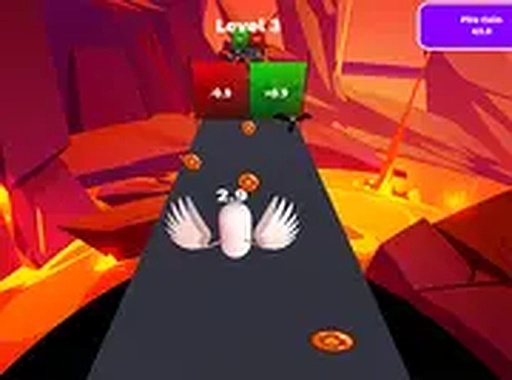
Dash Through Ember Canyon is a linear arcade runner played in a browser on desktop computers. Players move a character left or right along a set path, dodging obstacles that appear ahead. Coins sit along the route and add to a score when collected. A run ends the moment the character hits an obstacle, and a new attempt can begin immediately. Keyboard arrow keys or mouse input control movement, and full-screen mode is supported. The cycle of dodging, collecting, and restarting is the whole game, and it is designed for short sessions.

Speed and Difficulty Progression

The run speed climbs as players progress. Early attempts move slowly enough that newcomers can study obstacle patterns and time their first dodges. Later stages demand faster reactions and more precise left-right adjustments. Because the pace rises gradually, practice produces visible improvement in anticipating hazards rather than just surviving longer by luck. The difficulty curve keeps each session tense without changing the basic rules.

Upgrades Between Runs

Coins gathered during a run can be spent on upgrades before the next attempt. The available options cover a fire coin bonus, starting HP, and a health multiplier gate. Each upgrade changes how a run plays: more starting HP absorbs an extra mistake, the fire coin bonus increases what a single pickup is worth, and the health multiplier gate alters how much damage the character can take. Deciding which upgrade to buy first adds a strategic layer to an otherwise simple dodging game. Replaying levels to collect more coins is the intended way to unlock better gear.

Presentation and Accessibility

The canyon uses warm, fiery tones that reinforce the sense of urgency. Visual design stays simple so attention remains on the obstacles and coins ahead. Sound effects give immediate feedback for coin collection and collisions. No special hardware or software is required beyond a desktop browser, which makes the game easy to pick up for a few minutes at a time.

Editorial Notes

Upgrades reshape risk

The three upgrade paths change how a run is played rather than just adding numbers. Starting HP forgives one mistake, the fire coin bonus rewards aggressive collection, and the health multiplier gate shifts survivability. That choice gives the simple dodge loop a strategic layer between attempts.

Speed as the difficulty curve

Difficulty rises only through run speed. Obstacle types and controls stay consistent, so improvement comes from reading patterns faster. This makes practice meaningful and keeps the rules easy to understand from the first attempt.

Desktop browser focus

The game targets desktop browsers with keyboard or mouse input and full-screen support. Mobile play is not mentioned, so players on phones or tablets should verify compatibility before expecting the same experience.

Compatibility

✅ This game supports:
- Desktop browsers (Chrome, Edge, Safari)
- Mobile browsers (Chrome on Android, Safari on iOS)
❌ Does NOT support: - Internet Explorer - Very old browser versions
👉 Try refreshing or updating your browser

Share:

System Requirements

OS Windows 7/8/10 64-bit
CPU Core i3 3.3 GHz
Memory 4GB RAM
GPU Intel HD 4000
CPU (Recommended) Core i5 3.5 GHz
Memory (Recommended) 8GB RAM
OS Mac OSX Mojave (10.14.6+)
CPU Core i3 3.3 GHz
Memory 4GB RAM
GPU Intel Iris Pro 5200
CPU (Recommended) Core i5 3.5 GHz
Memory (Recommended) 8GB RAM

Follow Us

Faq

What happens when I hit an obstacle in Dash Through Ember Canyon?
The run ends immediately, but you can start a new attempt right away. There is no long penalty or loading screen between tries. Coins collected during the failed run are still added to your total, so even a short attempt contributes to your upgrade fund.
Which upgrade should I buy first in Dash Through Ember Canyon?
There is no single correct order, but starting HP is the most forgiving choice for new players because it lets you survive one extra collision. The fire coin bonus suits players who can already dodge reliably and want faster coin income. The health multiplier gate becomes more useful once you are consistently reaching later, faster stages.
Does Dash Through Ember Canyon work on mobile devices?
The game is described as running in a browser on desktop computers. Mobile support is not specified. The controls rely on keyboard arrow keys or mouse input, which fit a desktop setup more naturally. If you want to play on a phone or tablet, you would need to check whether the browser version supports touch input.
Is there a way to practice specific obstacle patterns in Dash Through Ember Canyon?
The game does not include a separate practice mode. Instead, early runs move slowly enough to function as informal practice. Because the speed increases gradually, repeating attempts lets you learn the timing for each obstacle type before the pace becomes demanding.
How does the scoring work in Dash Through Ember Canyon?
Coins collected along the route add to your score. The fire coin bonus upgrade increases the value of those pickups. The run ends on collision, so the score for a single attempt reflects how far you traveled and how many coins you grabbed before hitting an obstacle.
Can I play Dash Through Ember Canyon in full-screen mode?
Yes. The game supports full-screen mode in the browser, which removes distractions and makes the canyon view larger. This is useful during faster stages when obstacles appear quickly and you need to track multiple items on screen at once.

Comments

0 comments
U
User
Please login to post a comment.
Loading comments...

Other Similar Games

Rotating Disks Puzzle Challenge
Puzzle , Arcade , Reflex , Coordination , Family-Friendly , Casual , Timing , Focus

Rotating Disks Puzzle Challenge

Rotating Disks Puzzle Challenge is a fast-paced arcade puzzle where you control two yellow disks spinning around a central point. Catch yellow balls to score points, avoid purple balls to stay alive, and keep up as the speed steadily increases.

Play Now
Boat Drift Challenge Online
Drifting , Boat , Racing , Arcade , Family-Friendly , Mouse Control , Precision

Boat Drift Challenge Online

Boat Drift Challenge Online is a mouse-controlled arcade racer. Hold the mouse button to extend a guide line toward a curve, then release at the right moment to drift your boat through it. Courses grow more complex, rewarding timing and patience over raw speed.

Play Now
Jeffy Rhythm Music Game
Music , Rhythm , Browser Game , Free Online Game , Casual , Timing

Jeffy Rhythm Music Game

Jeffy Rhythm Music Game is a free browser-based rhythm game featuring the Jeffy character. Players tap arrow keys in time with scrolling notes, aiming to match the beat and keep the performance going. It runs without downloads on most devices, including low-end computers.

Play Now
Bambi's Beat Rhythm Quest
rhythm , music , browser game , free online game , family-friendly , keyboard controls , casual

Bambi's Beat Rhythm Quest

Bambi's Beat Rhythm Quest is a free browser rhythm game where players press arrow keys in time with on-screen notes. It runs on low-end PCs, Chromebooks, Mac, and Linux without downloads, and its difficulty rises gradually across upbeat song challenges.

Play Now
Clarence Ball Juggling Arcade
Skill , Reflex , Timing , Arcade , Casual , Coordination

Clarence Ball Juggling Arcade

Clarence Ball Juggling Arcade is a free browser game where you move Clarence left and right to bounce falling balls back up. Avoid obstacles, keep the ball off the ground, and extend your session through steady timing and quick reactions.

Play Now
Catch the Bouncing Ball Arcade
Skill , Reflex , Coordination , Arcade , Casual , Family

Catch the Bouncing Ball Arcade

Catch the Bouncing Ball Arcade is a browser-based skill game about hand-eye coordination. You move a bumper left or right to catch a bouncing orange ball while preventing a red ball from dropping off the screen. The game speeds up as you play, rewarding quick reactions and steady focus.

Play Now
Ninja Encounter
Action , Ninja , Browser Game , Strategy , Family-Friendly

Ninja Encounter

Ninja Encounter is a browser action game where you control a nimble ninja across 30 arenas. Choose between close combat strikes or ranged throwing stars to defeat opponents. Each level introduces a new layout that demands adaptation. No downloads required.

Play Now
Sonic Friends Match 3 Puzzle
Match 3 , Puzzle , Arcade , Casual , Family Friendly , Sonic

Sonic Friends Match 3 Puzzle

Swap tiles on a board to line up three or more matching items featuring Sonic and friends. Complete each puzzle's goal to unlock the next one. Three difficulty modes suit different ages and skill levels.

Play Now

HuntChef Hub

Quick Links

Home Skill Action Puzzle About

Usfull Links

Privacy Policy Terms Contact Us About Us Disclaimer

Stay Updated

Subscribe to our newsletter for the latest games and updates.

© 2026 HuntChef Hub. All rights reserved.

Share this page

Copy the link below to share this page: