Digital Scrapbook Art Design
Reviews
Digital Scrapbook Art Design offers a peaceful creative outlet for anyone who enjoys decorating journals. The variety of backgrounds and accessories allows for endless combinations. The simple touch controls make it easy to place, resize, and rotate items. It is perfect for unwinding and expressing yourself through art.
About This Game
Game Introduction
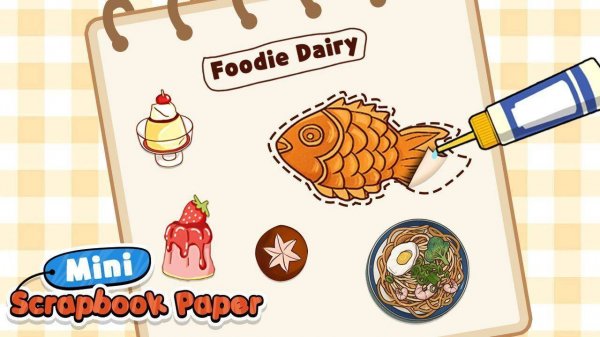
Digital Scrapbook Art Design is a creative puzzle game that allows you to design your own journal pages. You start with a blank page from a collection of colorful backgrounds. Then, you add decorations such as stickers, stamps, ribbons, and other cute accessories. The game gives you full control over placement, size, and rotation of each item. You can layer elements to create depth and style. There are no goals or scores to chase. The only purpose is to enjoy the process of making something beautiful. This game is perfect for anyone who likes to decorate diaries or explore visual art in a simple, digital format.
How to Play
Playing Digital Scrapbook Art Design is straightforward. First, select a blank journal page from the available options. Next, browse through categories of decorations such as stickers, washi tapes, and embellishments. Tap an item to pick it up, then tap again to place it on your page. You can move it around, resize it with pinch gestures, and rotate it to fit your design. Try different combinations of backgrounds and decorations to see what looks best. There are no rules or time limits, so you can take as long as you want. When your design is complete, save it to your in-game gallery to view later.
Game Features
Colorful pages to choose from. Fancy stickers and stamps for decoration. Cute accessories like ribbons and washi tapes. Free design mode with no restrictions. Creative expression tools for layering and resizing. Save your finished pages to a personal gallery.
Tips for Success
Experiment with different backgrounds and decorations to discover unique combinations. Take your time and enjoy the creative process without worrying about perfection. Try layering items to add depth and interest to your page. Use the resize and rotation tools to make each element fit exactly how you want. Save your designs regularly to build a gallery of your work.
Compatibility
System Requirements