Word Defender Typing Game

Word Defender Typing Game

Publisher Yeti Core Interactive
Release Date 2025-11-25
Update Time 2026-07-04
Tags Skill , Typing , Puzzle , Arcade , Word , Strategy , Education
Rating 3.0
Platform Html5
Advertisement

Reviews

Word Defender is a simple yet effective typing practice game. The core mechanic of typing words on moving blocks is engaging and helps improve both speed and accuracy. The speed level mode adds a nice challenge for advanced players. It is free, browser-based, and requires no download, making it very accessible. A great tool for anyone looking to improve their typing skills in a fun way.

About This Game

Game Introduction

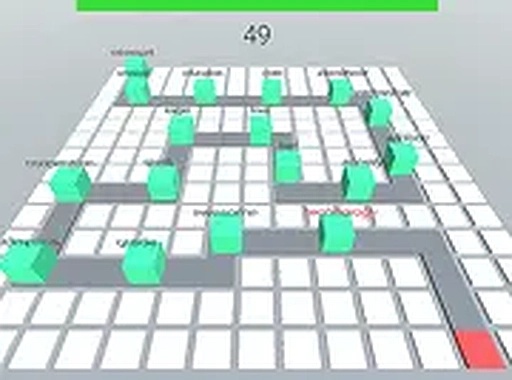
Word Defender is a typing arcade game that combines quick thinking with keyboard skills. Blocks carrying different words move through a maze toward a target block. Your goal is to type the letters and full words on each block to remove it before it reaches the target. The game offers a speed level mode for players who want a faster pace. It runs smoothly in your browser and is completely free to play. This game is a great way to practice typing while having fun. The simple concept makes it easy to start, while the increasing speed provides a challenge for more experienced typists. Each round presents a new set of words to type, helping to build vocabulary and finger dexterity. The game is designed for desktop computers with a keyboard for the best experience. It is suitable for all ages and provides a satisfying sense of accomplishment with each word typed correctly. The clean interface keeps the focus on the gameplay, making it an effective tool for improving typing accuracy and speed.

How to Play

To play Word Defender, use your keyboard to type the letters and full words shown on the blocks moving through the maze. Each block carries a word, and you must type it correctly to remove the block before it reaches the target. The game features a speed level option that increases the pace for more advanced players. Simply start the game, focus on the words, and type quickly and accurately to defend the target block. The game is designed for desktop computers with a keyboard for the best experience. As you progress, the words may become longer or appear more frequently, requiring faster typing and better concentration. The game provides immediate feedback, letting you know when a word is typed correctly or if you need to try again.

Game Features

Game features include: free to play, browser-based, no download required. Speed level mode for extra challenge. Keyboard typing practice that improves accuracy and speed. Clean and simple interface that is easy to understand. The game runs on most modern web browsers, making it accessible on any computer with an internet connection. The speed level mode allows players to gradually increase the difficulty, making it suitable for both beginners and experienced typists. The game focuses on core typing skills without unnecessary distractions, providing a pure practice environment. It is a great way to build muscle memory for common letter combinations and improve overall typing fluency.

Tips for Success

Word Defender offers a fun and challenging way to improve your typing skills. It is suitable for all ages and provides a satisfying sense of accomplishment with each word typed correctly. To improve, practice regularly and focus on accuracy before speed. Learn to keep your eyes on the screen rather than the keyboard. Use the speed level mode to gradually challenge yourself. Consistent practice will help you type faster and more accurately over time.

Compatibility

• OS: Windows 10+, macOS 11+, iOS 14+, Android 10+
• Browsers: Chrome 100+, Safari 15+, Edge 100+, Firefox 100+
• Not compatible with Internet Explorer
Tested on real devices ✅ works as expected

System Requirements

OS Windows 7/8/10 64-bit
CPU Core i3 3.3 GHz
Memory 4GB RAM
GPU Intel HD 4000
CPU (Recommended) Core i5 3.5 GHz
Memory (Recommended) 8GB RAM
OS Mac OSX Mojave (10.14.6+)
CPU Core i3 3.3 GHz
Memory 4GB RAM
GPU Intel Iris Pro 5200
CPU (Recommended) Core i5 3.5 GHz
Memory (Recommended) 8GB RAM

Follow Us

Faq

Can I play Word Defender on a mobile device?
Word Defender is designed for desktop computers with a physical keyboard for the best experience. While it may run on some mobile browsers, the typing mechanics are optimized for a full keyboard. For optimal gameplay, use a desktop or laptop computer.
Does Word Defender track my typing speed or accuracy?
The game focuses on real-time gameplay rather than detailed statistics. It provides immediate feedback on each word you type, but it may not save long-term progress or display metrics like words per minute. The main goal is to practice and improve through play.
Is there a time limit in Word Defender?
The game does not have a strict time limit. The challenge comes from the blocks moving continuously through the maze. If you type slowly, blocks may reach the target. The speed level mode can increase the pace, but there is no countdown timer.
Are there different difficulty levels besides the speed mode?
The primary adjustable difficulty is the speed level mode, which makes blocks move faster. The game may also introduce longer or more complex words as you progress. There are no separate difficulty settings like easy, medium, or hard, but the speed mode provides a scalable challenge.
What happens when a block reaches the target?
When a block reaches the target, the game may end or you may lose a life, depending on the specific rules. The core objective is to prevent any block from reaching the target. The game encourages you to restart and try again to improve your performance.
Can I play Word Defender offline?
Word Defender is a browser-based game that requires an internet connection to load. Once loaded, it may continue to run without an active connection for a short time, but it is primarily designed for online play. For the best experience, ensure you have a stable internet connection.

Other Similar Games